Anime Tier List Maker
Rank your favourite anime characters, series or openings: tap them into tiers, add pictures, then save a PNG.
Pictures are shrunk and kept in your browser – they are never uploaded. Your list is saved on this device automatically.
How it works
- 1Step 1
Start from the example or clear it
The tool opens with twelve well-known anime characters as an example. Remove the ones you don't want, or type your own names in the box and press Add.
- 2Step 2
Tap each item into a tier
On a phone, tap a name and then the tier row where it belongs; on a computer, drag it. Rename the tiers if S–D is not what you want.
- 3Step 3
Save or share
Download the finished list as a PNG to post, or copy a link to the text version for a friend.
Rank anime your way
A tier list puts an opinion on one page: best protagonist, strongest fighter, favourite opening, the series you would restart. This anime tier list maker runs in your browser with nothing to install and no account. It opens with twelve characters from well-known series as a starting point, in text only, so you can replace them with your own list. Sort the names into tiers from S to D, rename the tiers if you want something like Love / Like / Meh, add your own pictures from your device, then download the result as a PNG. Pictures stay on your device and are never uploaded. This is an independent tool and is not affiliated with any anime studio, publisher or streaming service.
We tested it (2026-11-02)
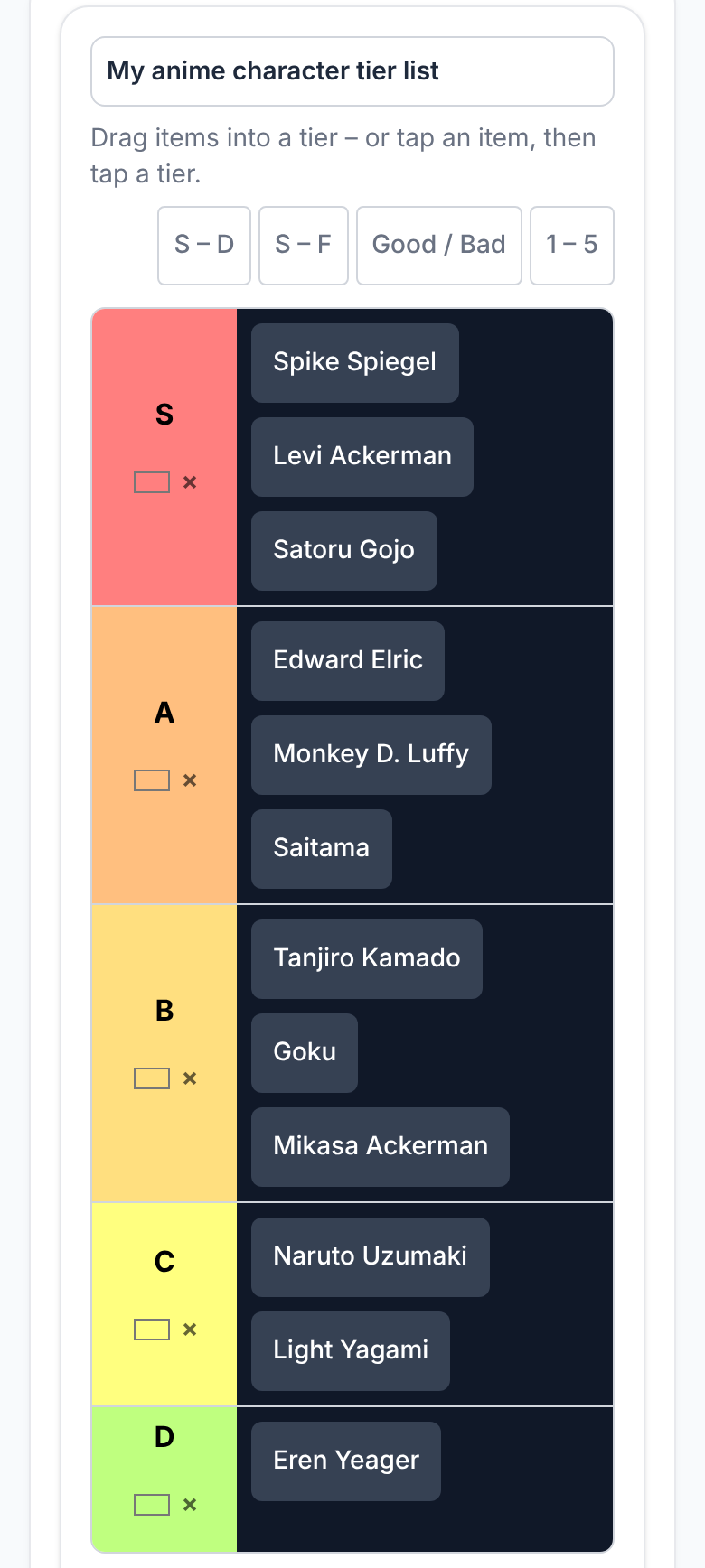
On 2 November 2026 we opened this page at phone width (390 px) and ranked the twelve example characters by how fun they are to watch, tapping each name and then its tier row. Our result: S – Spike Spiegel, Levi Ackerman, Satoru Gojo. A – Edward Elric, Monkey D. Luffy, Saitama. B – Tanjiro Kamado, Goku, Mikasa Ackerman. C – Naruto Uzumaki, Light Yagami. D – Eren Yeager. It is one person's opinion, not a fact; the point is that 24 taps sorted twelve names with no dragging.
What we noticed: on a phone the names wrap inside a tier, and two-word names such as Mikasa Ackerman fill a whole line, so the list is tall and needs scrolling. The list is saved on your device automatically, so reloading the page does not lose it.
The PNG you download
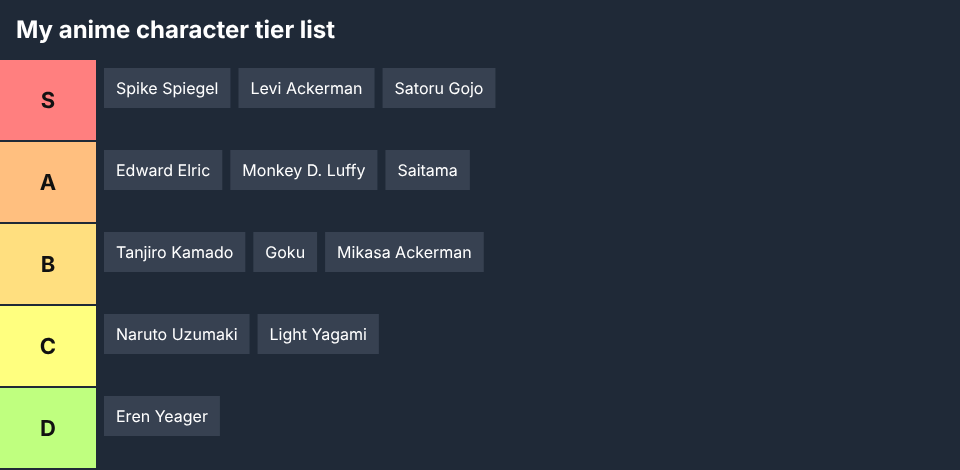
We then pressed Download PNG. The file was named my-anime-character-tier-list.png after the title box and measured 960 × 470 pixels for twelve items in five tiers. In the PNG the names sit side by side in one row per tier, so it is much more compact than the phone view and easy to post. Change the title first, because the file name and the heading in the picture both come from it.
What to rank
Characters from one series, your favourite openings and endings, the seasons you would watch again, fight scenes, studios, or a whole genre such as shonen or slice of life. A shorter list is quicker to finish and easier to share; for a long list, split it into two or three lists, such as protagonists and villains.
Using your own pictures
Use “Add pictures” to bring in screenshots or fan art you have the right to use. They are resized in your browser and stay on your device, so a share link carries text items only. The PNG you download includes the pictures.
Tips for a list people will argue about
Say what you are ranking by (strength, story, design, how much you liked them) in the title, because without a criterion the tiers mean nothing. Keep S small, three or four items at most, and let at least one famous name fall to a low tier, which is what makes people comment.
Frequently asked questions
Is this anime tier list maker free?
Yes. It is free, has no watermark and needs no account.
Does it include anime pictures?
No. The example list is text only. You can add your own pictures from your device.
Is this an official anime tool?
No. It is an independent tier list maker and is not affiliated with any anime studio, publisher or streaming service.
Can I rank openings, series or seasons instead of characters?
Yes. Remove the example names and type your own items, separated by commas, then press Add.
Are my pictures uploaded?
No. Pictures are resized in your browser and stay on your device, so a share link carries text items only.
Does it work on a phone?
Yes. Tap an item to select it, then tap the tier where it belongs. Dragging works too.
Related AI Generators & Tools
Browse focused, 100% free web utilities – no sign-up or credits required.